

download now
Catch your files
with Ufish.
CounterZap helps you decode opponents’ moves and get an OP strategy —perfect for eFootball, EA FC, FIFA and UFL grinders.
Get it on
App Store
Optimised for Fans





Features
Key highlights

Instant Formation Recognition
Apple vision technology identifies over 20 popular formations including 4-3-3, 4-2-3-1, 5-3-2, and variations like 3-2-4-1.

Real-Time Counter-Tactics
Get immediate tactical views tailored to neutralize opponent formations. Two strategic options give you flexibility in your approach.

One-Touch Analysis
Capture formations with your camera. No manual input required - just snap and analyze. Perfect for quick decisions or detailed pre-match preparation.

Smart Recognition Engine
Our Engine understands traditional tactical diagrams and new player positioning. Works with popular virtual football screenshots.

Visual Formation Display
Clear tactical diagrams show detected formations and suggested counters with easy-to-understand visual representation.

Comprehensive Database
Supports formations from classic 4-4-2 to modern innovations like 3-6-1, ensuring you’re prepared for any tactical challenge.
ADVANTAGES
Frequently asked questions(FAQ)
DO NOT DELETE
Your content goes here. Edit or remove this text inline or in the module Content settings. You can also style every aspect of this content in the module Design settings and even apply custom CSS to this text in the module Advanced settings.
Q: Will CounterZap guarantee that I win my matches?
A: CounterZap provides tactical information and counter-strategy suggestions to help you make better decisions, but it cannot guarantee a win. Your skill and in-game actions remain essential.
Q: How do I use CounterZap during gameplay?
A: Simply open the app during breaks, snap a photo of your opponent’s tactic visible on your device screen, and instantly get a clear counter-tactic suggestion.
Q: Is CounterZap suitable for beginners?
A: Yes, the app is designed to help players of all levels by showing simple, easy-to-understand tactical advice. Advanced users can also benefit from it.
Q: Does CounterZap work with all virtual football games?
A: CounterZap is compatible with many popular virtual football games on iOS that display tactics visibly on screen, including eFootball, FIFA, and FC.
Q: Do I need an internet connection to use CounterZap?
A: No, an internet connection is not required for the app to analyze the photo and provide up-to-date counter-strategy suggestions.
For assistance, please contact us at info@counterzap.eu. Include a detailed description of your issue and attach any relevant screenshots to help us understand the problem better. We value your feedback.
Ufish for Indesign®:
more time for your projects.
Ufish is a new generation database, focused on speeding up your design workflow. Ufish gathers previews of your Indesign® files and helps you organize, search, tag and share. With Ufish, you will find those lost files you needed yesterday. Also, with Ufish, there's no need for configuring. Do you find databases very fishy?
Ufish is a new way of working. Catch it.
Get it on
App Store
Ufish.
Why is it for you?
1. Finds all your Indesign® files in available drives.
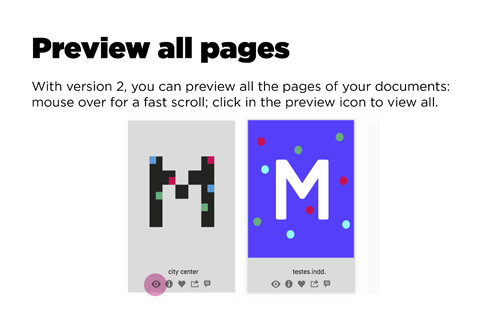
2. Hosts previews of those files, so that you can pick them visually.
3. Displays them, all in one place.
4. Uses character-recognition, to find extra content.
5. Tracks the files as you type.
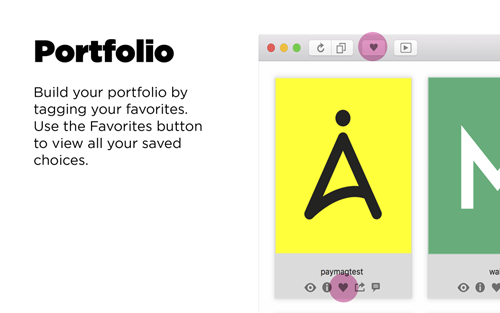
6. Builds and slideshows a fast portfolio of your mac files.
7. Shares your favorite files via Facebook, iPad and iPhone (soon).
8. Allows a new workflow.
Get it on
App Store
Ufish.
Why is it for you?
A fast catch
for your Portfolio.
If you're a freelance designer or a student you must try Ufish. With Ufish, you can start to build your Portfolio very fast. Ufish is not a DAM (Digital Asset Management) software. We've developed a zero-configuration app, so that you can skip the bad parts and just use it. Ufish catches and slideshows your work. If you have an iPhone or iPad, you will be able to sync your work to the cloud with the touch of one button, using the Ufish App (soon) — a fast and easy way to show off your portfolio.
Get it on
App Store



Ready to go.

Get ready with Ufish. The moment you install Ufish, it will detect all your Indesign® files and store previews safely, like a visual portfolio. There is nothing to configure, unlike other database systems. Ufish stands for “File Information System Host”. Ufish also uses OCR tech, so that you can find information within your files. Give it a try and learn the many uses for Ufish.
Manager seat.

Ufish works without Indesign®. This means you can simply install it to manage files from others, wheareas you are a designer or not. Also, Ufish catches older files. A fast algorithm scans and stores all the info it needs and makes it available in your search. And you can be in sync with your sales team, or maybe have an up-to-date portfolio to show your clients. Ufish indexes external drives and dvds. Get it all in one place and get to know what's on those old files.
Support.
Apple vision technology identifies over 20 popular formations including 4-3-3, 4-2-3-1, 5-3-2, and variations like 3-2-4-1.
©2025 All rights reserved. All trademarks, logos, and brand names of eFootball, FIFA, EA Sports FC, and UFL are the property of their respective owners and are used here solely for identification purposes. CounterZap is an independent project and has no affiliation, sponsorship, or endorsement from these brands.
New Accelerate Growth
Catch your files
with Ufish.
Nemo enim ipsam voluptatem quia voluptas sit aspernatur aut odit aut fugit, sed quia consequuntur magni dolores eos qui ratione voluptatem.

5,300+ reviews (4.9 of 5)

Preferred by industry experts


Features
Key highlights
Dolorem ipsum quia dolor sit amet consectetur adipisci velit sed quia non eius tempora incidunt et dolore magnam.
User management
Quis nostrum exercitationem ullam corporis suscipit laboriosam nisi ut aliquid ex ea commodi.

Mobile integration
Quis nostrum exercitationem ullam corporis suscipit laboriosam nisi ut aliquid ex ea commodi.
Cloud storage
Quis nostrum exercitationem ullam corporis suscipit laboriosam nisi ut aliquid ex ea commodi.

Automated backup
Quis nostrum exercitationem ullam corporis suscipit laboriosam nisi ut aliquid ex ea commodi.

Instant updates
Quis nostrum exercitationem ullam corporis suscipit laboriosam nisi ut aliquid ex ea commodi.

Custom templates
Quis nostrum exercitationem ullam corporis suscipit laboriosam nisi ut aliquid ex ea commodi.
Features
And countless others
Dolorem ipsum quia dolor sit amet consectetur adipisci velit sed quia non eius tempora incidunt et dolore magnam.

User dashboard
Nemo enim ipsam voluptatem quia voluptas sit aspernatur aut odit aut fugit, sed quia consequuntur magni dolores eos qui ratione voluptatem sequi nesciunt. Neque porro quisquam est.

API access
Labore et dolore magnam aliquam quaerat voluptatem ut enim.

Quick setup
Labore et dolore magnam aliquam quaerat voluptatem ut enim.

Data security
Labore et dolore magnam aliquam quaerat voluptatem ut enim.

Live support
Labore et dolore magnam aliquam quaerat voluptatem ut enim.
Features
Extended features
Dolorem ipsum quia dolor sit amet consectetur adipisci velit sed quia non eius tempora incidunt et dolore magnam.

Access Control
Ufish for Indesign®:
more time for your projects.
Ufish is a new generation database, focused on speeding up your design workflow. Ufish gathers previews of your Indesign® files and helps you organize, search, tag and share. With Ufish, you will find those lost files you needed yesterday. Also, with Ufish, there's no need for configuring. Do you find databases very fishy?
Ufish is a new way of working. Catch it.

Data encryption
Excepteur sint occaecat cupidatat non proident sunt in culpa.

Voice commands
Excepteur sint occaecat cupidatat non proident sunt in culpa.


Visual Reports
Ufish.
Why is it for you?
1. Finds all your Indesign® files in available drives.
2. Hosts previews of those files, so that you can pick them visually.
3. Displays them, all in one place.
4. Uses character-recognition, to find extra content.
5. Tracks the files as you type.
6. Builds and slideshows a fast portfolio of your mac files.
7. Shares your favorite files via Facebook, iPad and iPhone (soon).
8. Allows a new workflow.

Data security
Excepteur sint occaecat cupidatat non proident sunt in culpa.

User management
Excepteur sint occaecat cupidatat non proident sunt in culpa.

Effective Teamwork
A fast catch
for your Portfolio.
If you're a freelance designer or a student you must try Ufish. With Ufish, you can start to build your Portfolio very fast. Ufish is not a DAM (Digital Asset Management) software. We've developed a zero-configuration app, so that you can skip the bad parts and just use it. Ufish catches and slideshows your work. If you have an iPhone or iPad, you will be able to sync your work to the cloud with the touch of one button, using the Ufish App (soon) — a fast and easy way to show off your portfolio.

Instant messaging
Magni dolores eos qui ratione voluptatem sequi nesciunt neque porro quisquam est, qui dolorem ipsum quia.
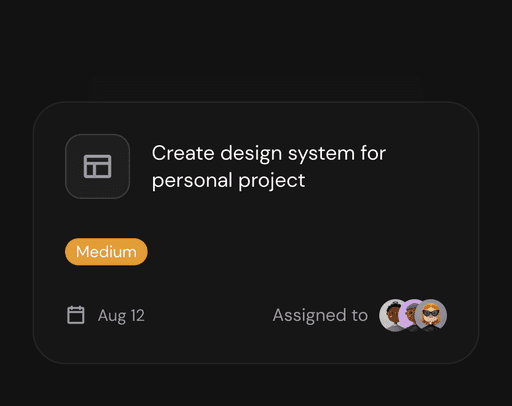

Project tracking
Magni dolores eos qui ratione voluptatem sequi nesciunt neque porro quisquam est, qui dolorem ipsum quia.
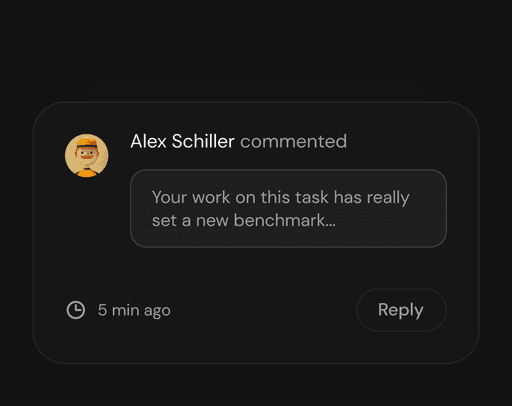

Event reminders
Magni dolores eos qui ratione voluptatem sequi nesciunt neque porro quisquam est, qui dolorem ipsum quia.
Features
Enhance your productivity
Nostrum exercitationem ullam corporis suscipit laboriosam nisi ut aliquid ex ea commodi consequatur quis autem vel eum iure.
Performance Metrics
Duis aute irure dolor in reprehenderit in voluptate velit esse cillum dolore eu fugiat nulla pariatur. Excepteur sint occaecat cupidatat.
Task Management
Duis aute irure dolor in reprehenderit in voluptate velit esse cillum dolore eu fugiat nulla pariatur. Excepteur sint occaecat cupidatat.
Workflow Automation
Duis aute irure dolor in reprehenderit in voluptate velit esse cillum dolore eu fugiat nulla pariatur. Excepteur sint occaecat cupidatat.
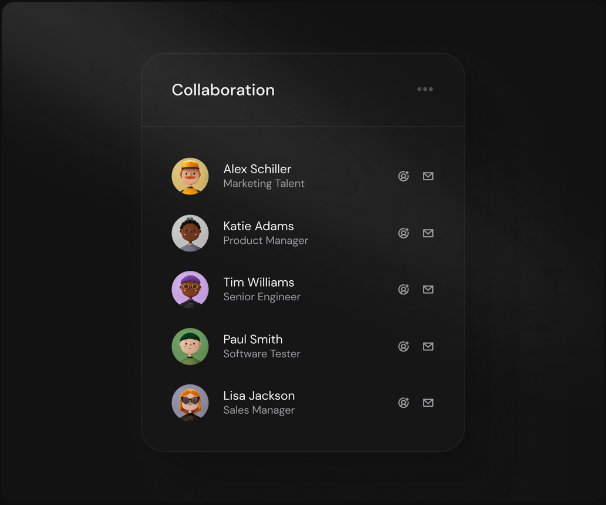

Testimonial
Take a tour.
ADD FILES
PORTFOLIO
SLIDESHOW
PREVIEW ALL IMAGES

Pricing
Find the right plan for you
Dolorem ipsum quia dolor sit amet consectetur adipisci velit sed quia non numquam eius modi tempora incidunt ut labore et dolore.
Ready to go.
Get ready with Ufish. The moment you install Ufish, it will detect all your Indesign® files and store previews safely, like a visual portfolio. There is nothing to configure, unlike other database systems. Ufish stands for “File Information System Host”. Ufish also uses OCR tech, so that you can find information within your files. Give it a try and learn the many uses for Ufish.
$59/month
Core functionality
Advanced features
Regular updates
Collaboration tools
Mobile Access

Popular
Manager seat.
Ufish works without Indesign®. This means you can simply install it to manage files from others, wheareas you are a designer or not. Also, Ufish catches older files. A fast algorithm scans and stores all the info it needs and makes it available in your search. And you can be in sync with your sales team, or maybe have an up-to-date portfolio to show your clients. Ufish indexes external drives and dvds. Get it all in one place and get to know what's on those old files.
$69/month
Core functionality
Advanced features
Regular updates
Collaboration tools
Mobile Access
Support.
Contact us if you need help.
Ufish support and beta distribution:
askme@ufish.pt
$79/month
Core functionality
Advanced features
Regular updates
Collaboration tools
Mobile Access
Looks amazing on any device
Quis autem vel eum iure reprehenderit qui in ea voluptate velit esse quam nihil molestiae.
Get it on
Google Play
Get it on
App Store